FeelIT 2.0, Haptic Accessibility Workbench
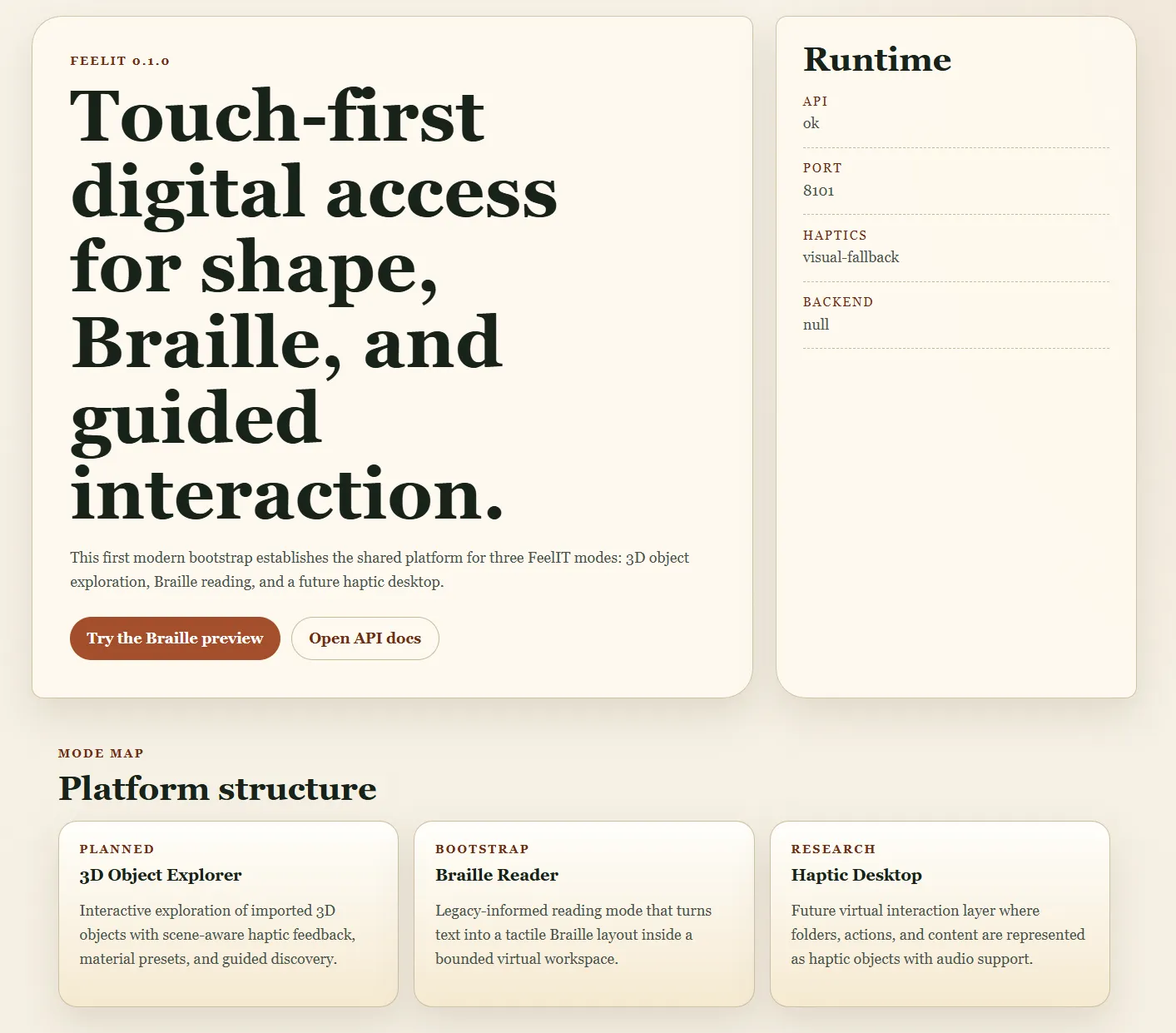
A web-based haptic accessibility workbench enabling visually impaired users to explore 3D objects through touch, read Braille text in immersive 3D environments, and navigate a haptic desktop. The modern realization of a vision begun in 2008.
Business Context
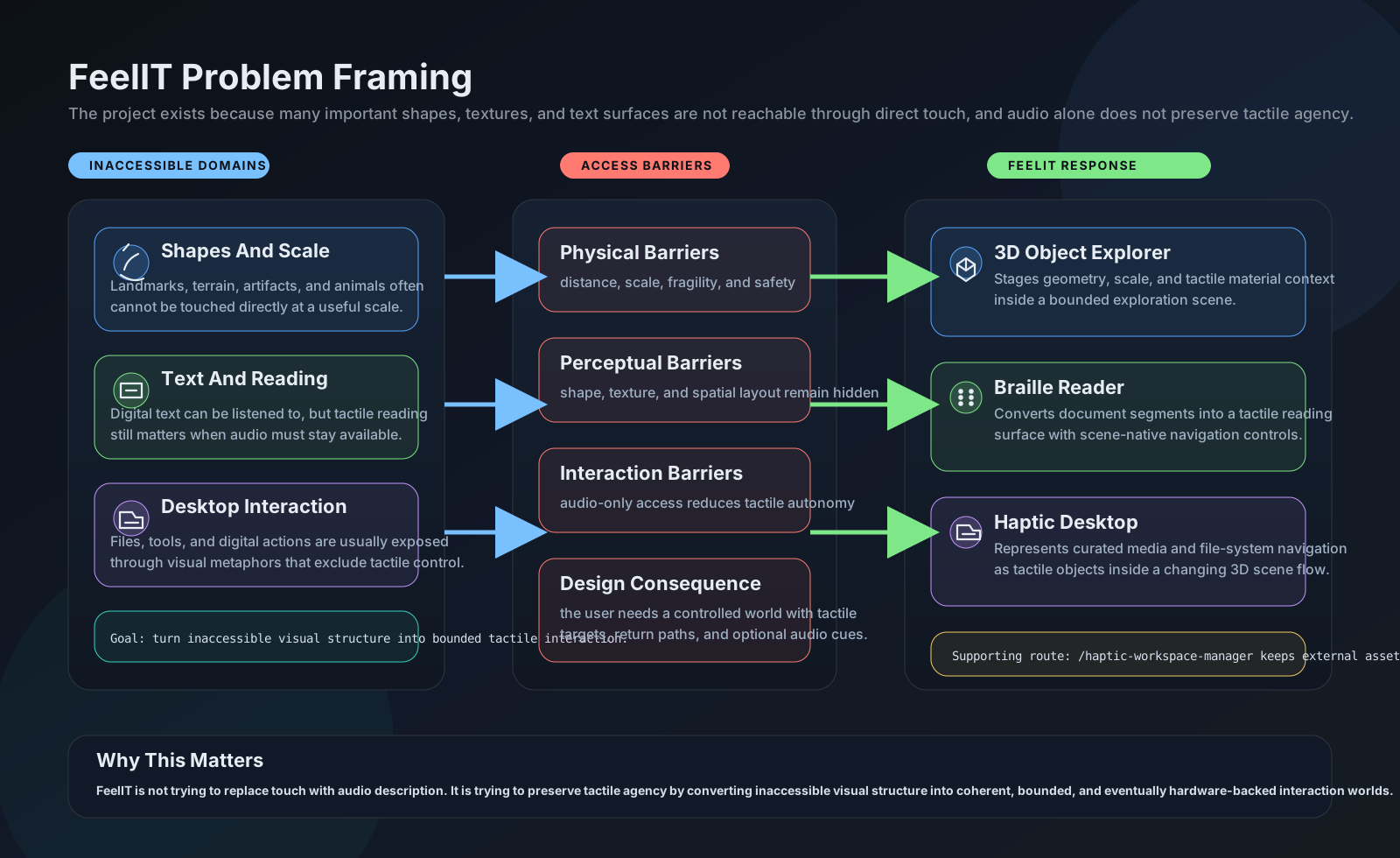
Tactile accessibility remains one of the most underserved areas in assistive technology. Screen readers and audio descriptions dominate the field, but audio alone cannot convey spatial relationships, three-dimensional geometry, or the physical texture of objects. A blind user can hear a description of a sculpture, but cannot understand its form through words alone. The original FeelIT project (2008-2012) attempted to solve this with physical hardware, a pin-array tactile display, but was frozen when miniaturization and cost constraints proved insurmountable.
Strategic Value
FeelIT 2.0 resurrects the original accessibility vision with a purely software approach, Python/FastAPI + Three.js replacing Windows Forms + OpenGL. The pluggable haptic backend abstraction means the system works immediately without specialized hardware (keyboard-driven stylus emulation), while remaining ready for physical haptic devices when available. Four integrated workspaces (3D Object Explorer, Braille Reader, Haptic Desktop, Workspace Manager) provide a structured, multi-modal approach to tactile interaction that no existing assistive technology offers. The April 2026 haptic pilot validated that hardware integration required zero changes to the core platform.
The Challenge
Tactile accessibility remains underserved. Screen readers and audio descriptions dominate assistive technology, but audio alone cannot convey spatial relationships, 3D shapes, or physical texture of objects. The original FeelIT (2008-2012) was frozen when hardware miniaturization made the pin-array display impractical.
Our Approach
Four integrated workspaces: 3D Object Explorer (8 tactile material profiles, keyboard-driven stylus), Braille Reader (scene-native 3D library with full ASCII + accented character support), Haptic Desktop (workspace launcher for models, texts, audio), and Workspace Manager (auto-population from external folders). Pluggable haptic backend abstraction supports null backend for visual-only and hardware-ready interface.
Key Performance Indicators
| KPI | Baseline | Result | Impact |
|---|---|---|---|
| Spatial Information Access | Verbal descriptions only | Direct tactile 3D exploration | Shape understanding without vision |
| Braille Reading | Linear text, no spatial context | 3D scene-native Braille with navigation | Immersive reading experience |
| Hardware Dependency | Specific device required | Null backend, works without haptic device | Immediate usability |
Architecture
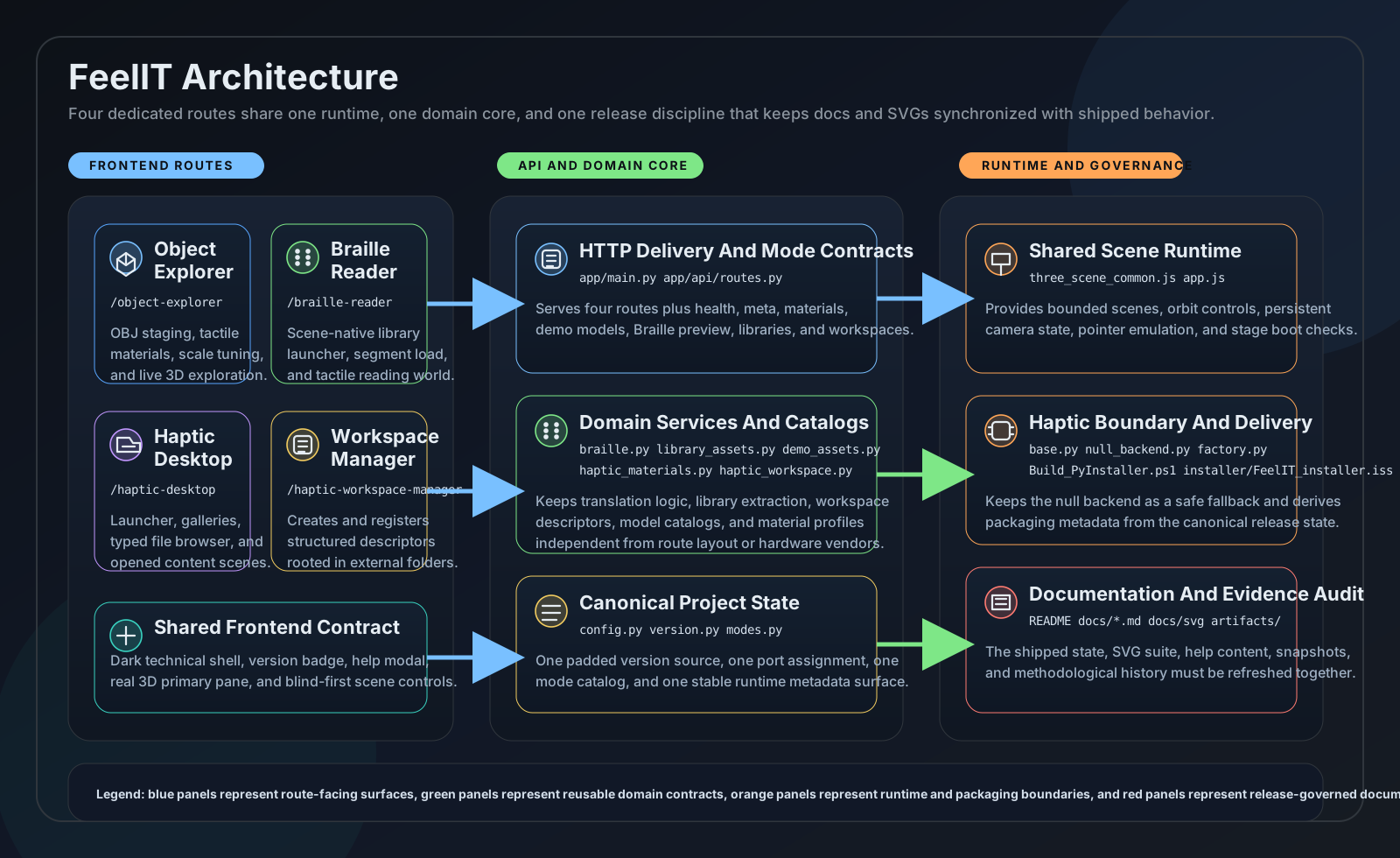
feelit2 arch
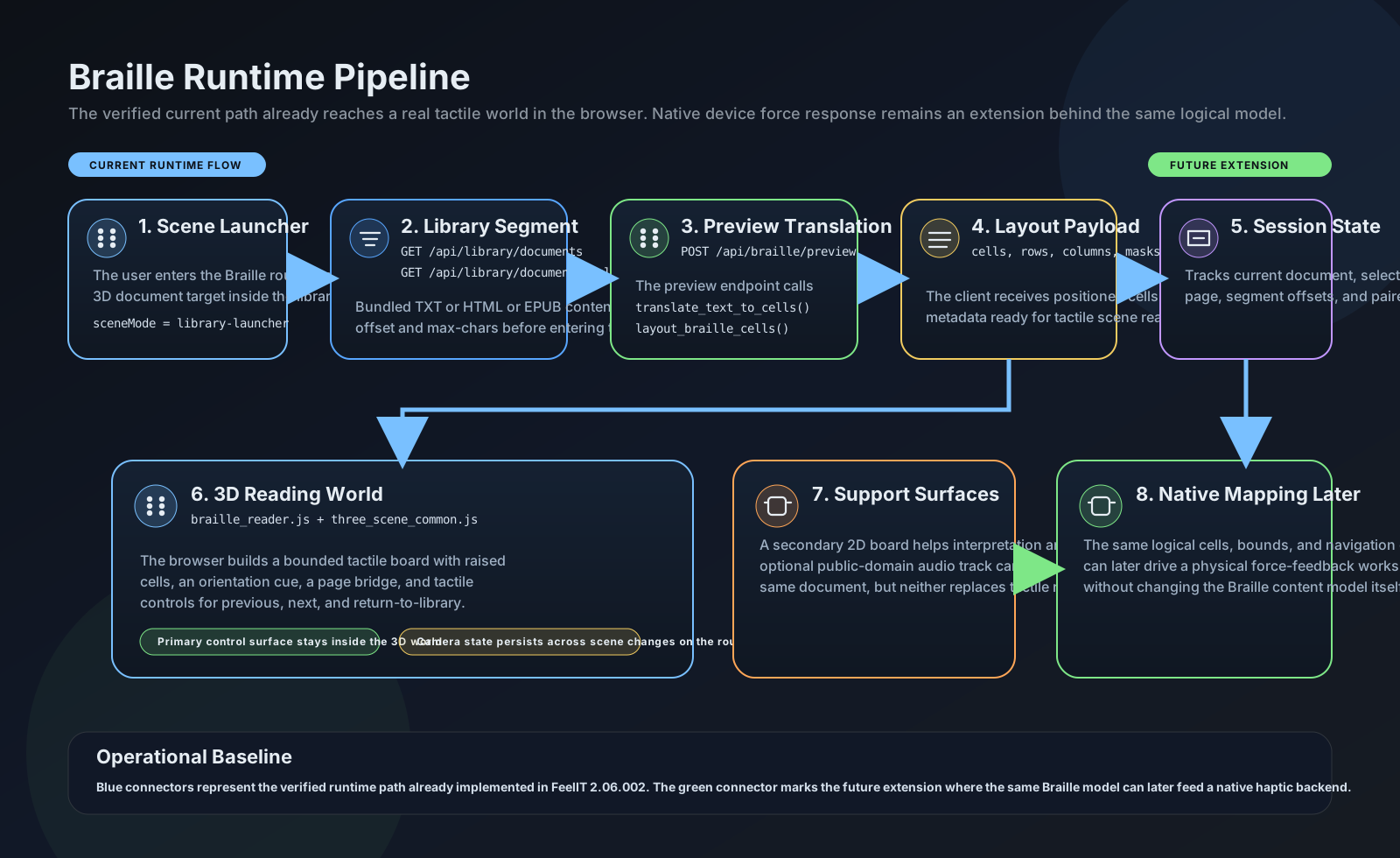
feelit2 braille
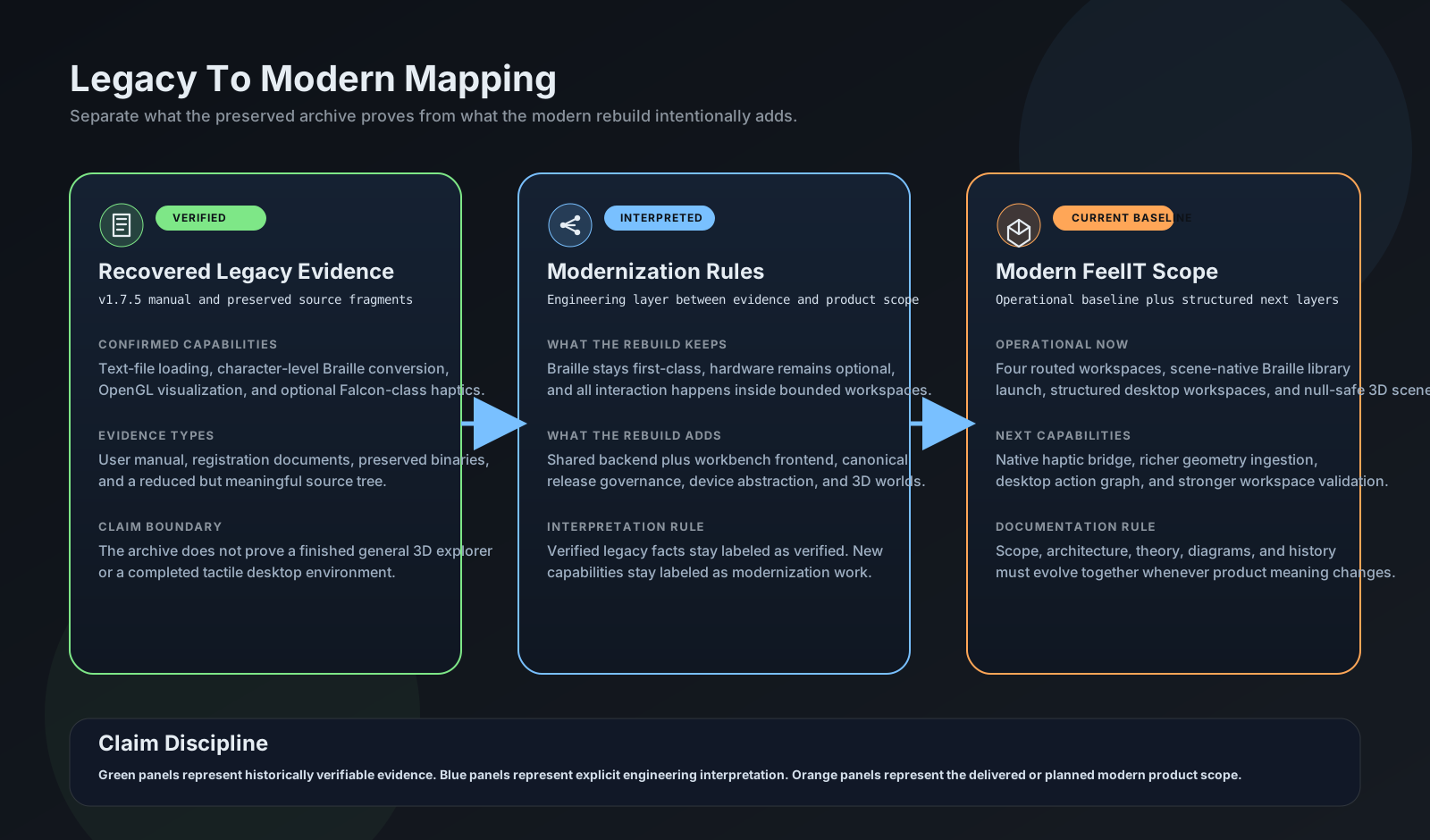
feelit2 legacy mapping
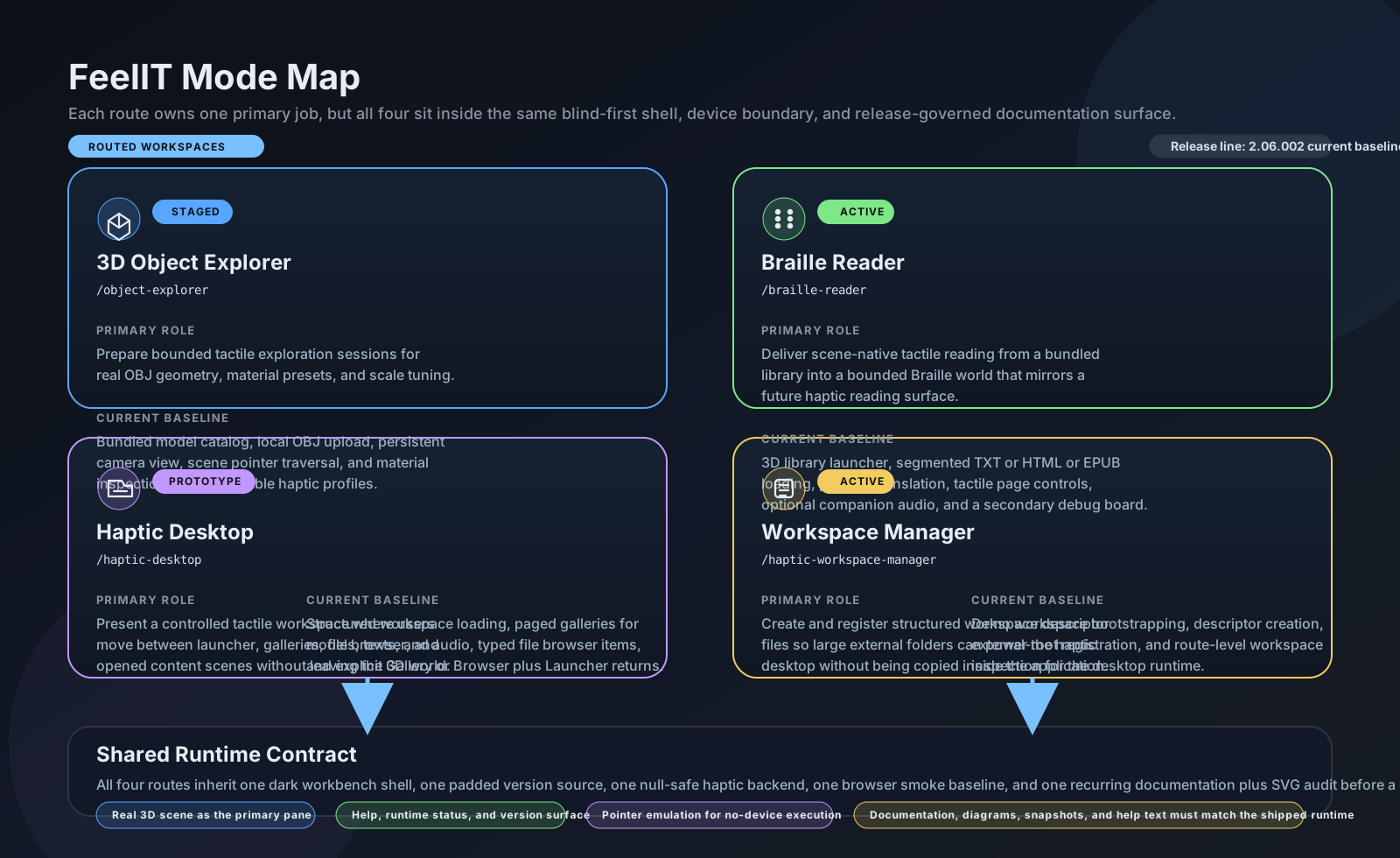
feelit2 modes
feelit2 problem
A Vision That Took 14 Years
In 2008, as an electronics engineering student at the Universidad de Concepcion, I built a pin-array display prototype, an electronically controlled grid of pins whose heights could render tactile surfaces for blind users. The concept was simple and powerful: a dynamic tactile screen, like a monitor but for touch.
The project froze in 2012. The electromagnetic actuators couldn’t be miniaturized enough, the cost per pin was prohibitive, and the 10x10 array I managed to build was too crude for practical use. But the idea never died.
Fourteen years later, the landscape had fundamentally transformed. Web technologies enable cross-platform deployment. Three.js delivers hardware-accelerated 3D in any browser. The haptic device ecosystem has expanded beyond proprietary solutions. And critically, the web platform means FeelIT can work even without physical hardware, using keyboard-driven stylus emulation as a first-class interaction mode.
FeelIT 2.0 rebuilds the original accessibility vision from scratch: Python/FastAPI + Three.js instead of Windows Forms + OpenGL.
The Accessibility Gap
Screen readers and audio descriptions dominate assistive technology. They work well for text-based content. But audio alone cannot convey spatial relationships, 3D geometry, or the physical texture of an object. A blind person can hear a description of a sculpture, but they can’t understand its form through words alone.
FeelIT 2.0 addresses this gap through four dedicated workspaces, each serving a distinct accessibility need.
The Workspaces
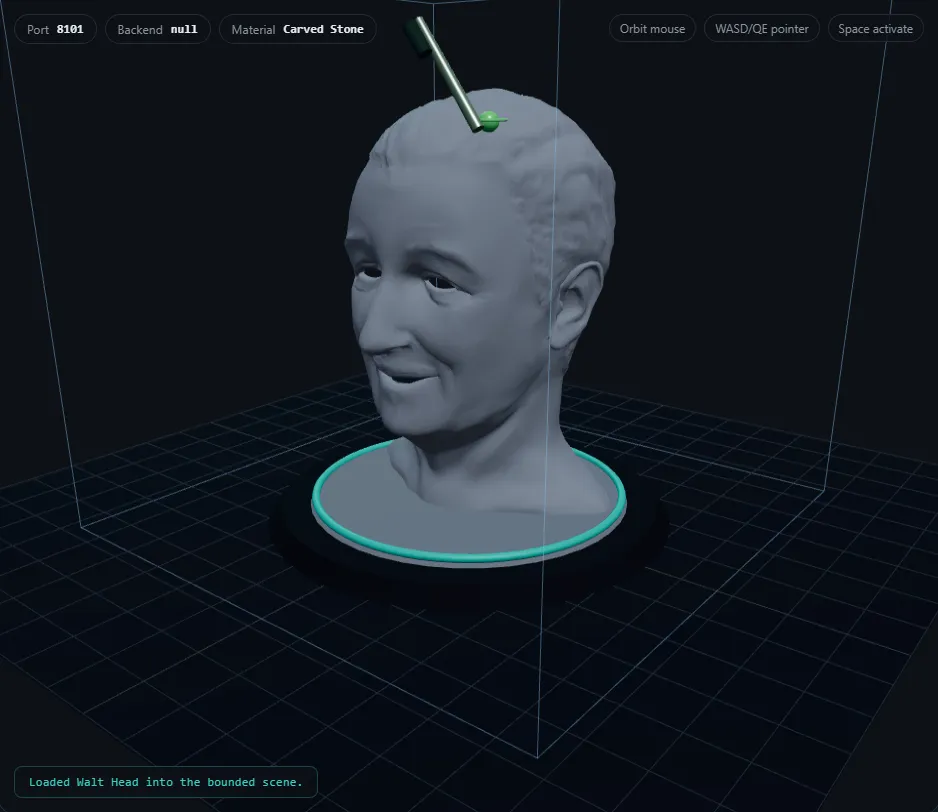
The 3D Object Explorer loads OBJ models, 10 bundled or user-uploaded, and maps them to one of 8 tactile material profiles: polished metal, carved stone, unfinished wood, rubber, foam, textured polymer, coated paper, glazed ceramic. Each profile defines stiffness, friction, texture, and vibration parameters as frozen dataclass constants. Users navigate with keyboard-driven stylus emulation (WASD/QE for movement, Space/Enter to activate).
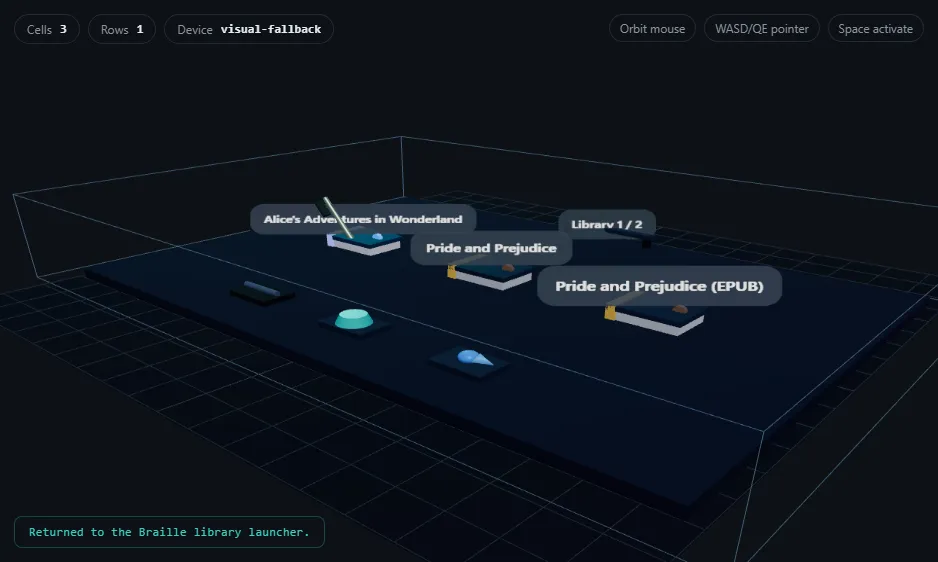
The Braille Reader renders documents as 3D scene-native Braille. A custom 134-line encoding engine transforms text into spatial cells: Character → 6-dot mask (0–63) → 3D positioned cell arranged in a rows x columns grid with orientation rail and origin marker. It loads bounded segments (1,200 chars) from TXT, HTML, or EPUB files with in-scene Previous/Next pagination. Full ASCII plus accented character support; unknown characters fall back to dots 3,4,5.
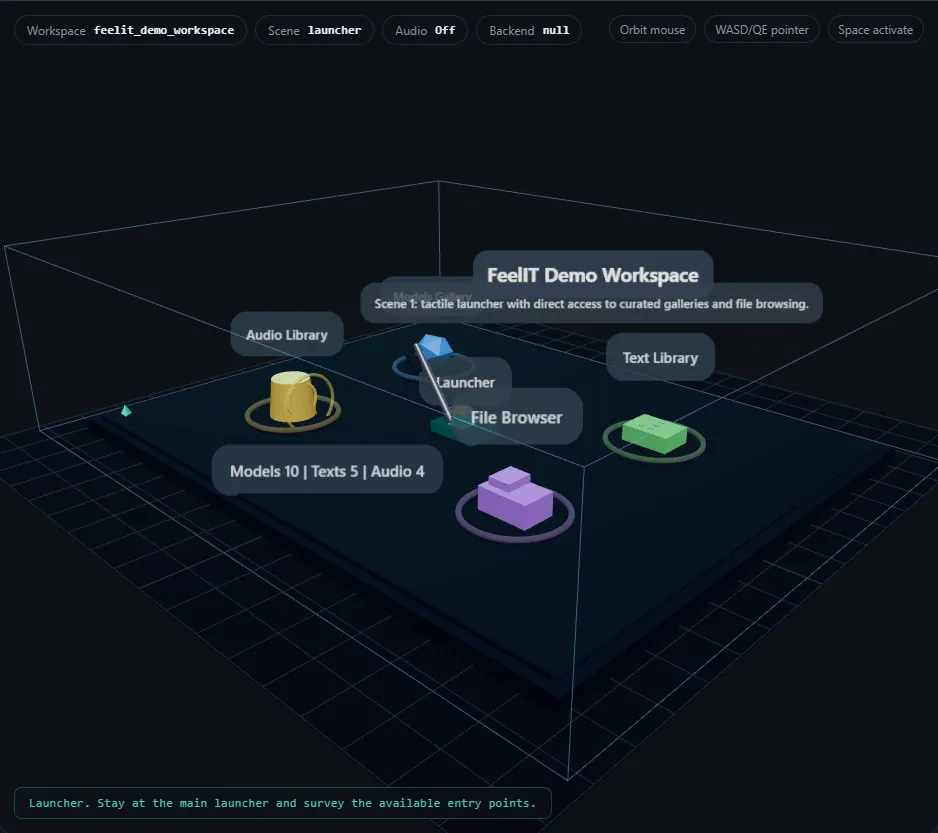
The Haptic Desktop provides a neutral hub: a workspace launcher with entry points for models, texts, audio, and a file browser. File types have distinct tactile shapes (folders, models, documents, audio, unsupported). Detail plaques show names before opening. The camera viewpoint persists across workspace transitions.
The Workspace Manager handles content organization. Users create workspaces from external folders with auto-population of discovered models, documents, and audio, or register existing .haptic_workspace.json descriptors.
The Hardware Bridge
In April 2026, version 2.18.000 achieved the first bounded native haptic pilot, real force feedback through a physical device. The pluggable backend abstraction allowed hardware integration with zero changes to workspaces, Braille engine, or material profiles. A haptic configuration review flow was added for safe parameter adjustment before sessions.
This validated the architecture: the separation between interaction logic and hardware I/O was clean enough that the entire system worked identically with or without physical hardware.
Limitations
The project explicitly documents what is shipped versus what is planned. The Implementation Gap Audit on GitHub records exactly what works today (Braille reading, 3D staging, workspace management) and what requires future work: native haptic hardware bridge beyond the bounded pilot, PDF/DOCX support, and full force-feedback material realization.
| Aspect | Original (2008–2012) | FeelIT 2.0 (2026) |
|---|---|---|
| Platform | Windows Forms | Web (FastAPI + Three.js) |
| Scope | Braille only | 4 workspaces |
| Haptic device | Novint Falcon-specific | Pluggable backend |
| Documents | Text files only | TXT, HTML, EPUB |
| Documentation | Minimal | 12 docs + 5 SVGs |
Technology Stack
Application Screenshots